Thursday, 25 July 2013

Samsung Galaxy S4 zoom

Samsung Galaxy S4 zoom

CHECK PRICE:


Also known as Samsung Galaxy S4 zoom SM-C1010, SM-C101.
GENERAL2G NetworkGSM 850 / 900 / 1800 / 1900 - all versions
3G NetworkHSDPA 850 / 900 / 1900 / 2100 - all versions
4G NetworkLTE (market dependent)
SIMMicro-SIM
Announced2013, June
StatusAvailable. Released 2013, July
BODYDimensions125.5 x 63.5 x 15.4 mm (4.94 x 2.5 x 0.61 in)
Weight208 g (7.34 oz)
DISPLAYTypeSuper AMOLED capacitive touchscreen, 16M colors
Size540 x 960 pixels, 4.3 inches (~256 ppi pixel density)
MultitouchYes
ProtectionCorning Gorilla Glass 3
SOUNDAlert typesVibration; MP3, WAV ringtones
LoudspeakerYes
3.5mm jackYes
MEMORYCard slotmicroSD, up to 64 GB
Internal8 GB (5 GB user available), 1.5 GB RAM
DATAGPRSYes
EDGEYes
SpeedHSDPA, 21.1 Mbps; HSUPA, 5.76 Mbps; LTE, Cat3, 50 Mbps UL, 100 Mbps DL
WLANWi-Fi 802.11 a/b/g/n, dual-band, Wi-Fi Direct, DLNA, Wi-Fi hotspot
BluetoothYes, v4.0 with A2DP, LE
NFCYes
Infrared portYes
USBYes, microUSB v2.0 (MHL), USB On-the-go
CAMERAPrimary16 MP, autofocus, Xenon flash, check quality
Features1/2.33'' sensor size, geo-tagging, touch focus, face and smile detection, 10x optical zoom (24-240mm), optical image stabilization, HDR, panorama
VideoYes, 1080p@30fps, check quality
SecondaryYes, 1.9 MP
FEATURESOSAndroid OS, v4.2.2 (Jelly Bean)
ChipsetPega-Dual +XMM6262
CPUDual-core 1.5 GHz Cortex-A9
GPUMali-400
SensorsAccelerometer, gyro, proximity, compass
MessagingSMS(threaded view), MMS, Email, Push Mail, IM, RSS
BrowserHTML5
RadioFM radio
GPSYes, with A-GPS support and GLONASS
JavaYes, via Java MIDP emulator
ColorsWhite, Dynamic Black
 - S-Voice natural language commands and dictation
- Dropbox (50 GB storage)
- Active noise cancellation with dedicated mic
- TV-out (via MHL A/V link)
- SNS integration
- MP4/DivX/XviD/WMV/H.264/H.263 player
- MP3/WAV/eAAC+/AC3/FLAC player
- Organizer
- Image/video editor
- Document viewer
- Google Search, Maps, Gmail,
YouTube, Calendar, Google Talk, Picasa
- Voice memo/dial/commands
- Predictive text input (Swype)
BATTERY Li-Ion 2330 mAh battery
Stand-by(2G) / Up to 570 h (3G)
Talk time(2G) / Up to 13 h (3G)
Music playUp to 46 h
MISCSAR US0.35 W/kg (head)     1.05 W/kg (body)    
SAR EU0.14 W/kg (head)     0.20 W/kg (body)    
Price group
TESTSDisplayContrast ratio: Infinite (nominal)
CameraPhoto / Video
Disclaimer. We can not guarantee that the information on this page is 100% correct. 
"+"BlackBerry Q10 review

BlackBerry Q10 review: There and back again

Introduction

Some revolutions end in triumph, others in tyranny. It's a walk on the edge of a blade between glory and the guillotine. And BlackBerry has had its share of revolutions - the most recent ones being the rebranding and the OS gone touch-only two iterations ago. The Z10, powered by the gesture-heavy BB10 OS, was... is... a revolution of sorts, too.
Next thing you know, it's business as usual over at BlackBerry. They're back to what they do best. The revolution is over and the message is out. There couldn't have been a better messenger either. Not a QWERTY messenger that we can think of, anyway.
 Blackberry Q10 Blackberry Q10
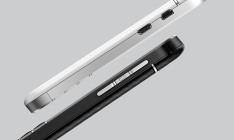
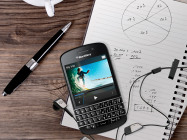
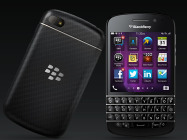
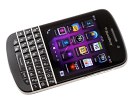
BlackBerry Q10 official pictures
Oh well, the BlackBerry Q10 sees the Canadians back to business but the business isn't what it used to be. That said, the time-tested form factor isn't a simple copy-paste job. In fact, getting rid of the trackpad and call keys is nothing short of a revolutionary change.
Blackberry Q10 Blackberry Q10
BlackBerry Q10 official pictures
The swipe-driven BB10 OS provides plenty of new, exciting ways of interacting with the device, while keyboard shortcuts and Instant Actions will add extra speed and flexibility but, considering the Q10 is a phone for loyal BlackBerry users, old habits will have to be broken. Here's what they'll be getting in return with the BlackBerry Q10.

Key features

  • Four-row hardware QWERTY keyboard
  • Quad-band GSM/GPRS/EDGE, tri/quad-band UMTS/HSPA, 100 Mbps LTE
  • 3.1" 16M-color 720p (720 x 720 pixels) Super AMOLED capacitive touchscreen
  • Dual-core 1.5 GHz Krait, 2GB RAM, Adreno 225 (LTE version) /Dual-core 1.5 GHz ARM Cortex-A9, 2GB RAM, PowerVR SGX544 (non-LTE)
  • BlackBerry 10.1 OS; Office document editor
  • BlackBerry Hub is a unified inbox of all your communication and social networking accounts
  • BBM with video chat and screen sharing
  • Impressively good 8 MP auto-focus camera with face detection and Time Shift; LED flash
  • Full HD (1080p) video recording at 30fps; 720p on the front-facing camera
  • 2MP front facing camera
  • 16GB of storage, microSD card slot; Dropbox and Box.NET integration
  • Wi-Fi a/b/g/n, Wi-Fi hotspot; Wi-Fi sync
  • Bluetooth 4.0
  • NFC
  • standard microUSB port, microHDMI
  • 3.5mm audio jack
  • GPS receiver with A-GPS

Main disadvantages

  • Brand new UI has a steep learning curve
  • BlackBerry Maps may be even worse than Apple Maps
  • No FM radio
  • BlackBerry World is still missing key apps
  • Screen size is too small by today's standards and the 1:1 aspect is awkward for video watching
The BlackBerry Q10 isn't as powerful as the full-touch BlackBerry Z10, and it doesn't need to be. The Q10 features an energy-efficient 3.1" Super AMOLED display at 720 x 720 pixels, which won't put a massive strain on the GPU either. AMOLED technology debuts on a BlackBerry phone, with its top-notch contrast and outdoor legibility. At 720 x 720 pixels, it boasts the seriously good 328ppi - not as impressive as Full-HD screens but well into Retina territory.
The BlackBerry 10 OS is a brand new platform and even though the 10.1 update brought some welcome additions, it is still an infant OS that needs polishing. BlackBerry is already working on the 10.2 update, with more major revisions to follow. Maps will only get better we hope and the app repository will surely expand with more content.
Blackberry Q10 Blackberry Q10 Blackberry Q10
BlackBerry Q10 at HQ
The future-proofing of the Q10 should be less of an issue for BlackBerry though - they may be losing market share but there must still be enough users who will see the Q10 as the ultimate upgrade. It's the future of the entire messenger concept that's more in question. Let's see what the BlackBerry Q10 can do about that.

Unboxing the BlackBerry Q10

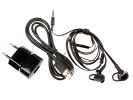
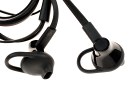
Our BlackBerry Q10 came with just the essential accessories - an A/C Adapter, a USB cable, and an in-ear headset with some oddly-shaped earbuds of varying size.
Blackberry Q10 Blackberry Q10 Blackberry Q10
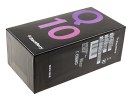
BlackBerry Q10 retail package

BlackBerry Q10 360 degree-spin

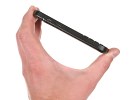
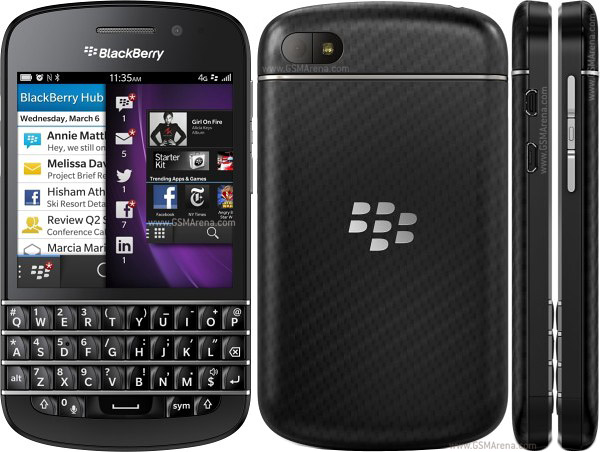
While the Z10 was intentionally a decisive departure from the designs of old, the BlackBerry Q10 is clearly the product of a company that values tradition. Being the successor of the BlackBerry Bold Touch 9900, the Q10 has nearly the same footprint at 119.6 x 66.8 x 10.4 mm and weighs just 9g more - the perfectly manageable yet reassuringly solid 139 grams.

Design, build quality and handling

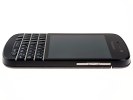
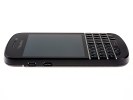
It is an instantly recognizable BlackBerry handset and this has nothing to do with the fact that there's virtually no meaningful competition in the QWERTY messenger class. Getting rid of the trackpad and hardware call keys must've been a move radical enough, leaving no room for further experiments with the design. There're just improvements fans will mostly approve of.
Blackberry Q10 Blackberry Q10
BlackBerry Q10
The Bold Touch 9900 was the first BlackBerry to sport a touchscreen above the full QWERTY keyboard. That one had use for the trackpad but the completely redesigned OS does well without it. By the way, the full keyboard is put to good use with a number of useful shortcuts that should be familiar to experienced BlackBerry users.
Actually, a big part of the BBS OS 10.1, which comes stock on the Q10 was about making it compatible with keyboard input - that and the addition of Instant Actions to the universal search.
Anyway, there are other design choices than the missing trackpad that set the BlackBerry Q10 apart from its predecessors. The metal frame running all around the chassis is gone - that's one accent less for an understated but altogether more compelling look. Overall, the Q10 is betting on cleaner lines and more simplified styling.
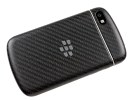
The QWERTY keyboard now has perfectly straight lines. The back panel is a single piece of some sort of composite material, developed by BlackBerry engineers. It has an extra pleasant rubbery finish, as opposed to a similarly looking carbon fibre inset in the Bold Touch 9900, which was at odds with the surrounding material.
Blackberry Q10 Blackberry Q10
BlackBerry Q10
The phone's back is nicely curved for comfortable handling. The finish is as good as immune against fingerprints and provides for a great, secure grip. It is an excellently built device and the overall feel is one of conservative comfort rather than intrusive luxury.
Blackberry Q10 Blackberry Q10
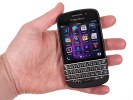
Handling the BlackBerry Q10

Tuesday, 23 July 2013

BATTERY BOOSTER (AD-FREE) ~ ANDROID APP DOWNLOAD FREE

BATTERY BOOSTER (AD-FREE) ~ ANDROID APP DOWNLOAD FREE


Battery Booster - Boost Your Battery's Running Time and Max Battery Life
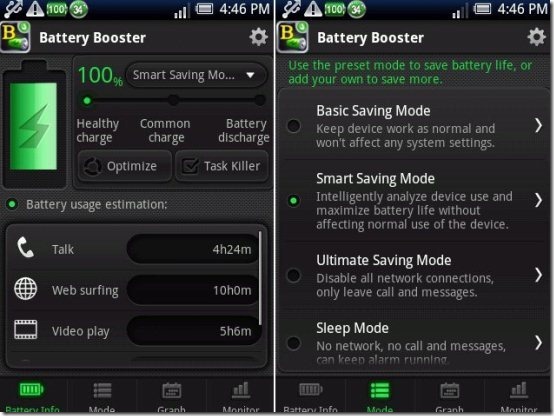
Battery Booster is an all-in-one battery boosting and power management tool for both Android smartphone and tablet. It provides the most accurate battery information, keeps track of the recent battery changes, monitors battery-draining processes, and helps you deal with various battery wasting situations at ease.
*Battery Booster•NEW UI•NEW FUNCTION*
- Interactive design
- Automatic battery saving mode
- Battery usage track & monitor
- Quick network & screen control
*Supported language: English, Korean, Japanese, Simplified Chinese, Traditional Chinese, French
*Feature details*
- Real-time battery usage tracking
Battery Booster provides real-time battery information, including battery level, battery temp, remaining battery usage time, and so on.
- Battery saving mode to save battery at all conditions
Battery Booster offers four preset battery saving modes to help you save more power. These modes watch your system performance and save battery at all possible situations. Besides, personalized modes are welcomed to be added if you need advanced battery saving techniques.
-Battery graph to track battery level/temp/voltage change
Three graphs are given in Battery Booster to track the recent three days battery information, including battery level, temp, and voltage. You can use these statistics to analyze and find out the most effective battery saving mode for yourself.
-Monitor battery consumption of each running program
Battery Booster keeps an eye on all running processes, and shows you the battery consumption ratio of each process. With this information, you will easily find out the battery-draining processes, stop or uninstall them to enhance battery life.
-Quick Settings and Homescreen widget
For easy management of daily used elements, fifteen quick control buttons are available to be added on Homescreen: WiFi, Bluetooth, GPS, Mobile data, Airplane, screen timeout, brightness, haptic feedback, etc. It only takes one line space to add these buttons, yet with them you will no longer need the system settings to adjust network or screen. If widget is not your choice, these buttons are available in Battery Booster settings, too.
-Task Killer to save more battery
Battery Booster saves battery by killing running background processes. For apps that you do not want to kill, you can use Whitelist Manager to protect. Furthermore, with the advanced task manager (Memory Booster - Android RAM Optimizer), Battery Booster can perform better and help you get the best battery saving results!

Download the software from the following link

MEMORY BOOSTER (FULL VERSION) ~ ANDROID APP DOWNLOAD FREE

MEMORY BOOSTER (FULL VERSION) ~ ANDROID APP DOWNLOAD FREE


Memory Booster - Android RAM Optimizer to Speed Up Your Smartphone!
*Memory Booster tablet version is available in Android Market!*
UPDATE: Customers who bought this app via Paypal please contact our customer support for update installation.
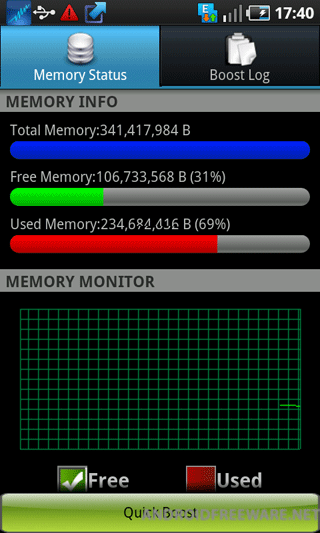
Memory Booster is a powerful mobile memory & RAM boosting tool specially designed for both Android smartphone and tablet users. It is designed to tackle the difficult yet crucial problem of memory management for all Android devices. Memory Booster reclaims lost memory for your programs by defragmenting your device's memory and recovering memory leaks from poorly behaved applications.
Supported language: English, Korean, Japanese, Italian, French, Russian, Spanish, German, Simplified Chinese, Traditional Chinese
Features:
* Real-time Memory Status Report & Monitor
Memory Booster provides a live chart to demonstrate your device's total/free memory and current memory usage.
* Setting Your Performance Target
With Auto Boost Threshold set, Memory Booster keeps your memory higher than desired level, and act immediately if memory drops down.
* One-click Quick Memory Boosting
Besides automatic memory boosting, Memory Booster also allows you to manually boost your memory by Quick Boost.
* Auto-boosting in the Background
With Auto Boost Interval, Memory Booster runs in the background and automatically reclaims memory for your Android at interval.
* Android system crash protection
Memory Booster always watches your system resources and cleans up system memory once it reaches a critical point.
* And there is more…
Other features include embedded Task Killer, Whitelist Manager, Boost Level Manager & Memory Boost Log, which assist Memory Booster to perform more efficiently and friendly.
Kw: memory, ram, booster, optimize, boost, optimization, task killer, task manager, atk, taskiller, memory booster, ram booster, battery, save battery, battery booster, system manager, process kill, speed up, system speed, app killer, system panel, memory cleaner, honeycomb apps, tablet apps, honeycomb apps free download, tablet apps free download, honeycomb, android honeycomb, honeycomb applications, android 3.0, honeycomb download, tablet free apps, honeycomb free apps, 3.0, tablet app download, honeycomb app download


follow link to download