



BlackBerry Q10 review: There and back again
Introduction
Some revolutions end in triumph, others in tyranny. It's a walk on the edge of a blade between glory and the guillotine. And BlackBerry has had its share of revolutions - the most recent ones being the rebranding and the OS gone touch-only two iterations ago. The Z10, powered by the gesture-heavy BB10 OS, was... is... a revolution of sorts, too.
Next thing you know, it's business as usual over at BlackBerry. They're back to what they do best. The revolution is over and the message is out. There couldn't have been a better messenger either. Not a QWERTY messenger that we can think of, anyway.
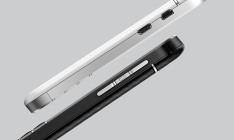
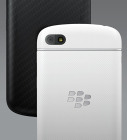
BlackBerry Q10 official pictures
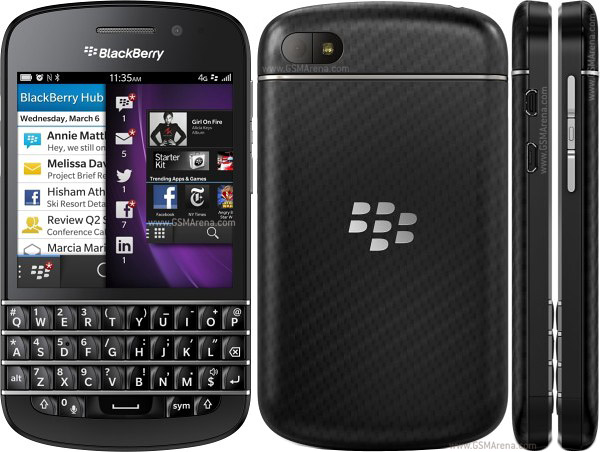
Oh well, the BlackBerry Q10 sees the Canadians back to business but the business isn't what it used to be. That said, the time-tested form factor isn't a simple copy-paste job. In fact, getting rid of the trackpad and call keys is nothing short of a revolutionary change.
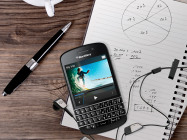
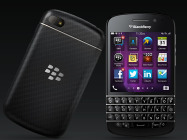
BlackBerry Q10 official pictures
The swipe-driven BB10 OS provides plenty of new, exciting ways of interacting with the device, while keyboard shortcuts and Instant Actions will add extra speed and flexibility but, considering the Q10 is a phone for loyal BlackBerry users, old habits will have to be broken. Here's what they'll be getting in return with the BlackBerry Q10.
Key features
- Four-row hardware QWERTY keyboard
- Quad-band GSM/GPRS/EDGE, tri/quad-band UMTS/HSPA, 100 Mbps LTE
- 3.1" 16M-color 720p (720 x 720 pixels) Super AMOLED capacitive touchscreen
- Dual-core 1.5 GHz Krait, 2GB RAM, Adreno 225 (LTE version) /Dual-core 1.5 GHz ARM Cortex-A9, 2GB RAM, PowerVR SGX544 (non-LTE)
- BlackBerry 10.1 OS; Office document editor
- BlackBerry Hub is a unified inbox of all your communication and social networking accounts
- BBM with video chat and screen sharing
- Impressively good 8 MP auto-focus camera with face detection and Time Shift; LED flash
- Full HD (1080p) video recording at 30fps; 720p on the front-facing camera
- 2MP front facing camera
- 16GB of storage, microSD card slot; Dropbox and Box.NET integration
- Wi-Fi a/b/g/n, Wi-Fi hotspot; Wi-Fi sync
- Bluetooth 4.0
- NFC
- standard microUSB port, microHDMI
- 3.5mm audio jack
- GPS receiver with A-GPS
Main disadvantages
- Brand new UI has a steep learning curve
- BlackBerry Maps may be even worse than Apple Maps
- No FM radio
- BlackBerry World is still missing key apps
- Screen size is too small by today's standards and the 1:1 aspect is awkward for video watching
The BlackBerry Q10 isn't as powerful as the full-touch BlackBerry Z10, and it doesn't need to be. The Q10 features an energy-efficient 3.1" Super AMOLED display at 720 x 720 pixels, which won't put a massive strain on the GPU either. AMOLED technology debuts on a BlackBerry phone, with its top-notch contrast and outdoor legibility. At 720 x 720 pixels, it boasts the seriously good 328ppi - not as impressive as Full-HD screens but well into Retina territory.
The BlackBerry 10 OS is a brand new platform and even though the 10.1 update brought some welcome additions, it is still an infant OS that needs polishing. BlackBerry is already working on the 10.2 update, with more major revisions to follow. Maps will only get better we hope and the app repository will surely expand with more content.
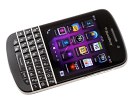
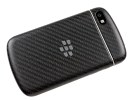
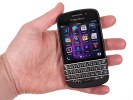
BlackBerry Q10 at HQ
The future-proofing of the Q10 should be less of an issue for BlackBerry though - they may be losing market share but there must still be enough users who will see the Q10 as the ultimate upgrade. It's the future of the entire messenger concept that's more in question. Let's see what the BlackBerry Q10 can do about that.
Unboxing the BlackBerry Q10
Our BlackBerry Q10 came with just the essential accessories - an A/C Adapter, a USB cable, and an in-ear headset with some oddly-shaped earbuds of varying size.
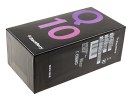
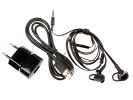
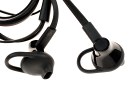
BlackBerry Q10 retail package
BlackBerry Q10 360 degree-spin
While the Z10 was intentionally a decisive departure from the designs of old, the BlackBerry Q10 is clearly the product of a company that values tradition. Being the successor of the BlackBerry Bold Touch 9900, the Q10 has nearly the same footprint at 119.6 x 66.8 x 10.4 mm and weighs just 9g more - the perfectly manageable yet reassuringly solid 139 grams.
Design, build quality and handling
It is an instantly recognizable BlackBerry handset and this has nothing to do with the fact that there's virtually no meaningful competition in the QWERTY messenger class. Getting rid of the trackpad and hardware call keys must've been a move radical enough, leaving no room for further experiments with the design. There're just improvements fans will mostly approve of.
BlackBerry Q10
The Bold Touch 9900 was the first BlackBerry to sport a touchscreen above the full QWERTY keyboard. That one had use for the trackpad but the completely redesigned OS does well without it. By the way, the full keyboard is put to good use with a number of useful shortcuts that should be familiar to experienced BlackBerry users.
Actually, a big part of the BBS OS 10.1, which comes stock on the Q10 was about making it compatible with keyboard input - that and the addition of Instant Actions to the universal search.
Anyway, there are other design choices than the missing trackpad that set the BlackBerry Q10 apart from its predecessors. The metal frame running all around the chassis is gone - that's one accent less for an understated but altogether more compelling look. Overall, the Q10 is betting on cleaner lines and more simplified styling.
The QWERTY keyboard now has perfectly straight lines. The back panel is a single piece of some sort of composite material, developed by BlackBerry engineers. It has an extra pleasant rubbery finish, as opposed to a similarly looking carbon fibre inset in the Bold Touch 9900, which was at odds with the surrounding material.
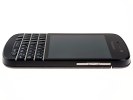
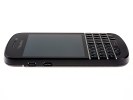
BlackBerry Q10
The phone's back is nicely curved for comfortable handling. The finish is as good as immune against fingerprints and provides for a great, secure grip. It is an excellently built device and the overall feel is one of conservative comfort rather than intrusive luxury.
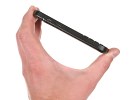
Handling the BlackBerry Q10




.png)